Every January I started a budget. Three Januaries, three budgets, and not one of them made it to March.
This month I've been tracking my spending for a full year. I didn't discover a secret system. I just finally understood why the first three attempts died. If you've given up on a budget once or twice, you'll probably recognise yourself somewhere below.
Attempt one, the app: the notifications turned into nagging
I started with a budgeting app. Link your card, it said, and everything comes in automatically. I thought, 'Great, that's the whole job done.' The first week was genuinely fun. Every coffee showed up, and I felt like a person who had their finances under control.
Then came the categories. Was the corner shop run snacks or household? Was the big supermarket trip groceries or supplies? Every time the app pinged me with "You have 12 uncategorised transactions," I thought, 'Later,' and swiped it away. The day it hit 40, I turned the notifications off. A budget with the notifications off is just a statistic nobody reads.
Attempt two, the notebook: pretty, until it wasn't
So I went the other way. I bought the nicest budget planner in the stationery shop and three coloured pens. Writing a line for each receipt every evening was oddly relaxing at first.
Then I had a busy week, and receipts piled up in my wallet. On Saturday I pulled out fifteen of them. Halfway through copying dates, shops and amounts by hand I thought, 'Why am I doing this with a pen?' I added the total on a calculator twice and got two different numbers. I closed the planner that day and never opened it again.
Attempt three, the spreadsheet: I built it perfectly and then stopped
For round three I decided to do it properly. I spent an entire Saturday building a spreadsheet: a tab per month, category dropdowns, colour warnings for going over budget, even a pie chart. When I proudly showed it to my partner, they said:
"Wow, that looks like a quarterly report. And you're going to fill this in every day?"
I laughed it off, but they were right. The template was perfect; the typing was the problem. Look at a receipt, type the date, type the shop, type the amount, repeat. Three weeks later the sheet was empty, and I'd spent more time tweaking the template than using it. I liked building budgets more than keeping them.
Attempt four: what I changed
After the third failure I wrote one question in the corner of a notebook: 'What did I actually hate each time?' The answer was embarrassingly simple.
- App: deciding a category for every single purchase
- Notebook: copying everything out by hand
- Spreadsheet: typing it all in
All three died at the same step: turning one receipt into one row. So this time I set just three rules.
1. Snap every receipt the moment you get it
Not sort, just snap. Before the receipt goes in my wallet, I take a photo at the till. It takes three seconds. I can throw the paper away that day because the card statement exists anyway, unless it's something I might return.
2. Sort once a week, on Sunday morning
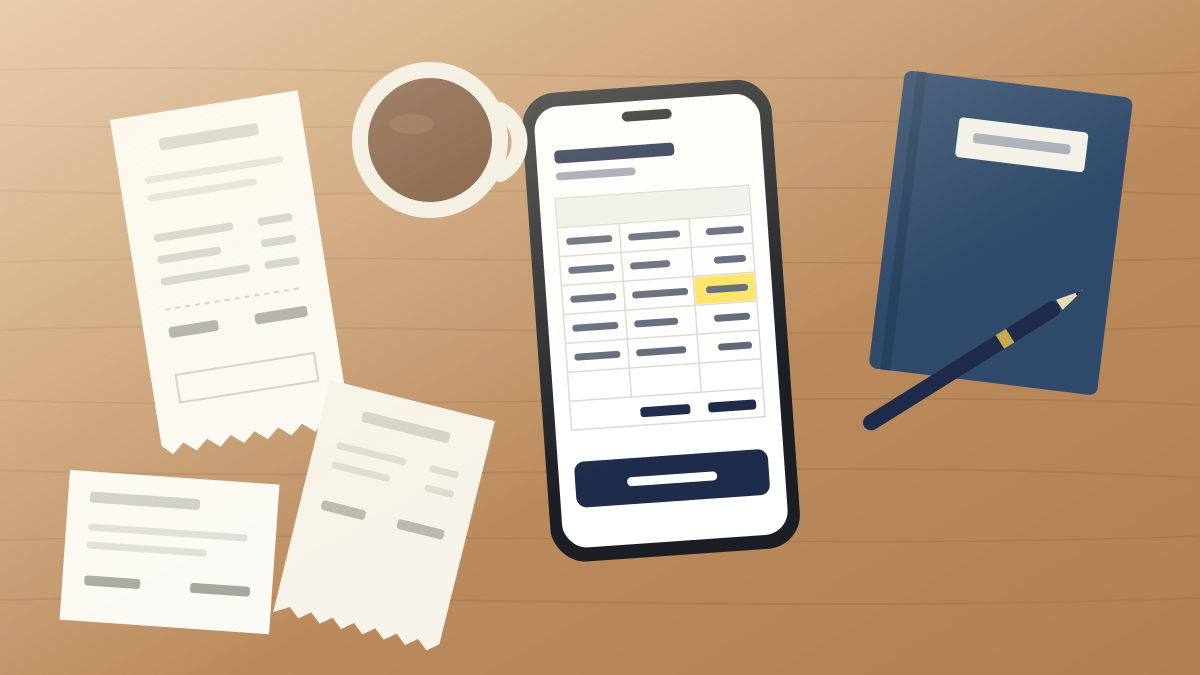
I had proven three times that daily doesn't work for me. So I do it once a week, while my Sunday coffee is still hot. I drop the week's photos in, the date, store and total come out as a table, and I only check the cells flagged in yellow against the photo. It's usually around ten receipts, so ten minutes.
The first Sunday, my partner leaned over and asked:
"Where do those photos go? Receipts have card numbers and stuff on them."
That had bothered me too, so I'd looked it up first. It said everything is read inside the browser and nothing goes to a server, so after one normal run I switched the Wi-Fi off and added another photo as a test. The table still filled in, and I thought, 'Huh, it's true.' When I told my partner, they said, "Okay, do mine too," and handed me seven receipts. We've been sorting both together ever since.
3. Five categories, and "Other" when in doubt
The app had burned me out on categories, so I cut them to five: Food, Home, Transport, Gifts, Other. I add one category column to the downloaded spreadsheet and pick from a dropdown. If I hesitate, it goes in Other, no debate. Funnily enough, Other never got very big. Removing the thinking time meant every row got filled, even roughly.
What a year showed me
The biggest change: I stopped asking "how much did I spend?" and started seeing where. When I totalled by store, the corner shop near our flat averaged almost 90 a month. That was a 3-a-day drink habit adding up. I showed my partner and we both went quiet for a second.
"...Do we own shares in that shop?"
"At this rate we should be going to the AGM."
After that we started making coffee at home more often, and the corner shop total dropped to the 40s the next month. Not a fortune, but it was the first time a budget felt useful to me.
The second change is in my head. Before, if I missed a few days I'd think 'Failed again' and quit. Now, if I skip a Sunday, I just do two weeks of photos the next one. Twenty receipts is twenty minutes, so falling behind isn't scary. I think a system you can come back to after skipping is the real reason this one lasted a year.
If you've quit a budget before
- Don't build the perfect template first. Date, shop and amount are enough. Add columns later when you actually need them.
- Instead of promising to log daily, split it: snap daily, sort weekly.
- Keep five categories or fewer, and put anything unclear in
Other. - Even when the values are read for you, check the yellow cells and the total against the photo.
For month-end totals, see How to calculate monthly spending totals in Excel. To find where your money goes by shop, see Rank your spending by store in Excel, and for the dropdown, Add a category dropdown to your expense spreadsheet.